
How to update Firmware
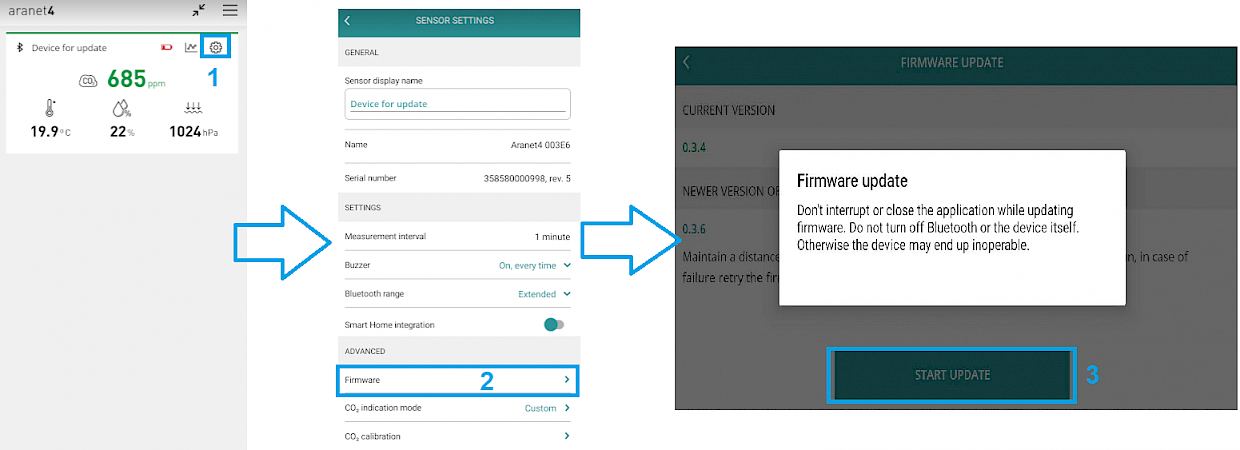
Starting from Aranet Home app version v2.0 firmware update can be done as follows:
Click on the settings “wheel” icon in the record of the necessary device;
In the newly opened page click on section Firmware;
Finally click on the button START UPDATE:
Important! Sometimes there might be an issue where the sensor is stuck during some operation, for example, a firmware upgrade. In this case, it is advised to open the Aranet4 app and try to add a new sensor. In most cases, this sensor will be discovered, paired back to the app and working again. If the issue still persists, please contact [email protected]
Last updated